Team Chat for Faster Workplace Communication
VirtualStation's team chat helps teams communicate instantly, share ideas, and collaborate without switching between multiple apps.
Whether you're discussing projects, sharing updates, or coordinating tasks, team chat keeps conversations organized and accessible.
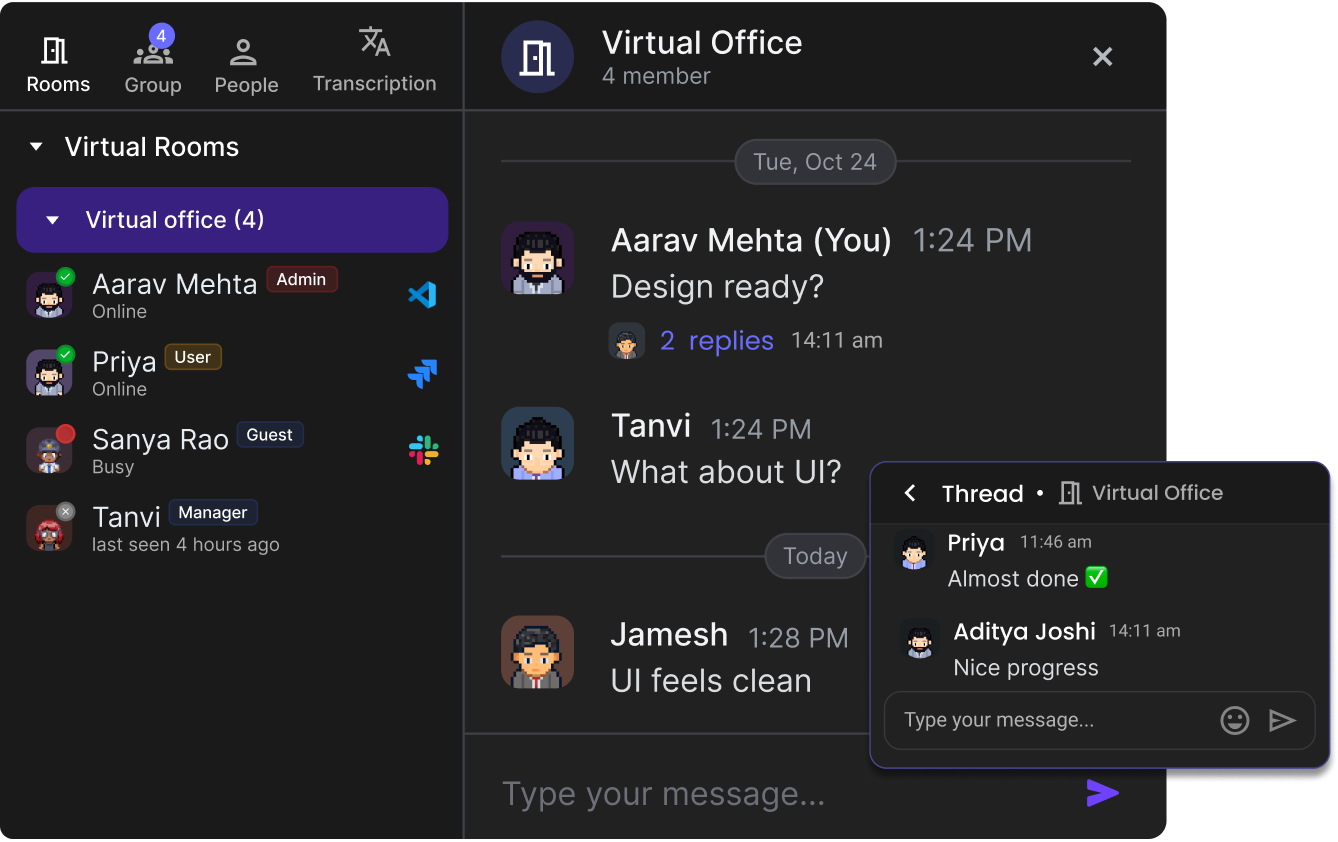
What Is a Team Chat App?
A team chat app allows employees to communicate through real-time messaging instead of relying only on email.
VirtualStation combines team chat with meetings, project management, and AI productivity tools inside one platform.
Share Quick Updates
Collaborate on Tasks
Coordinate Projects
Discuss Ideas
Exchange Files & Info
Built for Remote & Hybrid Teams
For distributed teams, communication is essential. This helps remote teams stay aligned and productive.
Communicate Instantly Across Locations
Send messages to teammates anywhere in the world in real-time, breaking down geographic barriers.
Organize Conversations by Topic or Project
Create dedicated Rooms for projects, departments, or topics to keep discussions organized and findable.
Keep Discussions Connected with Work Tasks
Link conversations to tasks and projects for seamless workflow integration.
Reduce Unnecessary Meetings
Handle quick questions and updates via chat instead of scheduling meetings for everything.
Room Organization
Public Rooms
Team-wide discussions everyone can join
Private Rooms
Invite-only spaces for sensitive discussions
Direct Messages
One-on-one or small group conversations
Smart Organization
Create Rooms for projects, teams, or any topic to keep everything organized and searchable.
Team Chat Features
Everything you need for seamless team communication and collaboration.
Real-Time Messaging
Send messages instantly to individuals or teams. See when messages are read and get immediate responses.
Rooms & Topic Discussions
Organize conversations by team, project, or department. Keep discussions focused and easy to find.
File Sharing
Share documents, images, and resources directly in chat. All files are searchable and organized by conversation.
Integrated Collaboration
Connect chat conversations with tasks, meetings, and projects for complete context.
Smart Notifications
Stay informed without being overwhelmed by messages. Customize notifications per Room and conversation.
Powerful Search
Find any message, file, or conversation instantly with full-text search across all your team communications.
AI-Enhanced Communication
VirtualStation enhances team communication with AI productivity features. This ensures communication leads to clear action and productivity.
AI can help teams:
Summarize Long Discussions
AI creates concise summaries of lengthy chat conversations so you can catch up quickly.
Extract Key Decisions
Automatically identify important decisions made in conversations for easy reference.
Highlight Important Updates
AI surfaces critical information so you never miss what matters most.
Organize Information Efficiently
Smart categorization and tagging make it easy to find relevant conversations later.
AI Chat Summary
#product Room Summary
"Team discussed Q4 feature priorities. Consensus reached on mobile app redesign. Sarah to create mockups by Friday."
Key Decisions
- • Approved $15K budget increase
- • Launch date set for Nov 20
- • Mike will lead development sprint
Action Items (4)
- Design: App wireframes @Sarah
- Dev: API spec document @Mike
Common Use Cases
With VirtualStation, team chat becomes part of a complete virtual office environment.
Daily Team Communication
Replace scattered emails with organized team conversations everyone can access.
Project Collaboration
Create dedicated Rooms for each project to keep all discussions in one place.
Quick Problem Solving
Get fast answers to questions without scheduling meetings or waiting for email responses.
Sharing Resources & Updates
Distribute documents, links, and important updates instantly to the whole team.
Remote Team Coordination
Keep distributed teams aligned with real-time communication across time zones.
Department Communication
Organize conversations by department to keep relevant teams connected and informed.
Team Chat vs Email Communication
See why modern teams are switching from email to team chat
| Aspect | Email Communication | Team Chat |
|---|---|---|
| Response Time |
Slow responses
|
Instant messaging
|
| Organization |
Hard to organize conversations
|
Structured Rooms
|
| Collaboration |
Limited collaboration
|
Real-time teamwork
|
| Visibility |
Less visibility
|
Transparent discussions
|
Messages Sent Daily
Faster Than Email
Fewer Meetings Needed
Frequently Asked Questions
What is a team chat app?
A team chat app allows employees to communicate through instant messaging, improving collaboration and reducing reliance on email. It's essential for modern remote and hybrid teams.
Can team chat replace email?
For internal communication, team chat often replaces email by enabling faster collaboration. Many teams still use email for external communication but handle all internal discussions via chat.
Is team chat useful for remote teams?
Yes. Team chat is essential for remote teams to communicate effectively across locations. It provides the instant connection that remote workers need to stay aligned and productive.
Can files be shared in team chat?
Yes. VirtualStation allows teams to share files and resources directly in chat conversations. All shared files are organized, searchable, and accessible to everyone in the conversation.
Improve Team Communication with VirtualStation Chat
Connect your team with real-time messaging inside a powerful virtual workspace. Say goodbye to scattered communication and hello to organized, productive conversations.
No credit card required. Unlimited messages. Secure and encrypted.