Saurabh Rai
How to Know What Your Remote Team Is Doing Without Micromanaging Them
Every "any update?" message points to missing information. How to see work, blockers and workload on a remote team without hovering.
On this page
- You’re not paranoid. You’re missing information.
- Every “any update?” is a gap you can find
- Look at the work before you look at the worker
- One board, one owner per commitment
- Make being stuck cheap
- Close every meeting with owners
- Trade random pings for a rhythm people can plan around
- Write the rules down, including yours
- A 30-minute review for Friday
- What to leave out of the review
- How we think about this at VirtualStation
- Stop finding out on Monday
- Sources
Picture this: it’s Tuesday, a little after three. Your client demo is on Thursday. Two people on the team haven’t said a word in chat since the morning, the board still shows the key task as “in progress”, and you honestly can’t tell whether things are fine or quietly on fire.
So you type “hey, quick check-in, how’s it going?” You delete it. You type it again, add an emoji so it sounds friendlier, and hit send. Then you feel a little bit like the manager you swore you’d never be.
If that feels familiar, the problem usually isn’t your team, and it isn’t you. It’s that you’re trying to answer a reasonable question with the only tool you have left: interrupting people.
You’re not paranoid. You’re missing information.
Many leaders feel this. In 2022, Microsoft, which sells workplace software including Teams, surveyed 20,006 knowledge workers in 11 countries for its Work Trend Index. 85% of the leaders in that survey said the move to hybrid work had made it hard to feel confident their people were being productive. Meanwhile, 87% of the employees said they were productive at work.
Both numbers can be true at once. The team is working. The manager just can’t see it.
The next step can be to install something that tracks activity. But knowing who moved a mouse at 2:14 PM tells you nothing about who is blocked.
That kind of tracking also costs something. The American Psychological Association’s 2023 Work in America survey, which polled 2,515 employed US adults, found that 56% of workers who were monitored felt tense or stressed out at work, compared with 40% of those who weren’t. You wanted peace of mind and handed the anxiety to your team.
Every “any update?” is a gap you can find
Here’s a small exercise that changes how you see this. For one week, keep a note of every time you ask someone for a status update. Next to each one, write what you were actually trying to find out.
At the end of the week you’ll have a list that looks something like this:
- Is the demo build going to be ready? (No shared view of the task’s real state.)
- Did design get the feedback they needed? (Decision made in a call, never written down.)
- Who is handling the client’s bug report? (Mentioned in a meeting, nobody owns it.)
- Is Sam okay? He’s been quiet. (No light way to see who’s around or heads down.)
Look at your list. Count how many pings point to a missing piece of information, and how many point to anyone slacking. We expect the first number to be much bigger. That’s the useful part: trying harder not to ask won’t cure micromanagement, but closing those gaps one at a time will.
Look at the work before you look at the worker
Most of what you need to know already exists. It’s just scattered, or it lives in someone’s head.
One board, one owner per commitment
If a task only exists in a DM or a private notebook, you’ll end up asking about it. Get real commitments onto a shared board, each with one named owner, a status and a date. “What’s Priya working on?” should be something you can look up.
Make being stuck cheap
A delay often isn’t laziness. Someone is waiting on a review, an answer or a login. Give blockers an obvious home, like a “blocked” status or a line in the daily check-in, and react well when people use it. If saying “I’m stuck” earns a grilling, people will stop saying it, and you’ll find out on Monday.
Close every meeting with owners
A lot of work is assigned out loud and then evaporates. Before any meeting ends, turn each action item into a task with an owner. This one habit can stop a lot of “wait, who was doing that?” threads.
Trade random pings for a rhythm people can plan around
People don’t mind being accountable. They mind being checked on at random. Offer your team a deal: a predictable rhythm in exchange for you not poking them in between.
- A daily async check-in. Three short lines by a set time: done, next, in my way. Two minutes to write, five for you to read.
- Weekly 1:1s that aren’t about status. If the board and check-ins handle status, 1:1s can be about priorities, workload and how the person is doing.
- A short weekly team review. Fifteen minutes on the board: what shipped, what slipped, what’s next.
Then keep your side of the deal.
Write the rules down, including yours
A lot of anxiety in a remote team can come from expectations nobody said out loud. Agree on these as a team:
- When people are expected to be reachable, and how fast a reply is expected in chat.
- How to show “heads down”, “in a meeting” or “away”, so silence isn’t read as absence.
- Where tasks, decisions and blockers get recorded.
- What the manager looks at, how often, and why.
That last line matters most. If your team uses time tracking with screenshots or app tracking, for client billing or for contractors, say so plainly: when it runs, who sees the data and what it’s used for. Monitoring that people know about and can predict is a choice the team made. Monitoring they discover by accident is surveillance, whatever you meant by it.
A 30-minute review for Friday
Once the basics are in place, this is the routine that replaces most of your check-in messages:
- Scan the board. What moved this week? What hasn’t moved in a week? What has no owner?
- Read the blockers. Anything that has come up twice is now your job, not theirs.
- Check the load. Count open tasks and deadlines per person. Look for anyone carrying twice what the others are.
- Follow the meetings. Did last week’s action items become tasks, and did they get done?
- Notice the people. Who’s gone quiet, who’s been online late, who seemed off in their 1:1? Answer those with a conversation, not a chart.
What to leave out of the review
Some signals feel useful and mostly mislead:
- Green dots as effort. The person offline for three hours doing deep work may be your most productive teammate today.
- Speed of replies. Reward instant answers and you train people to be interrupted all day.
- Activity scores on their own. They measure motion, and people learn to produce motion. If you do use them, read them next to the work, never instead of it.
How we think about this at VirtualStation
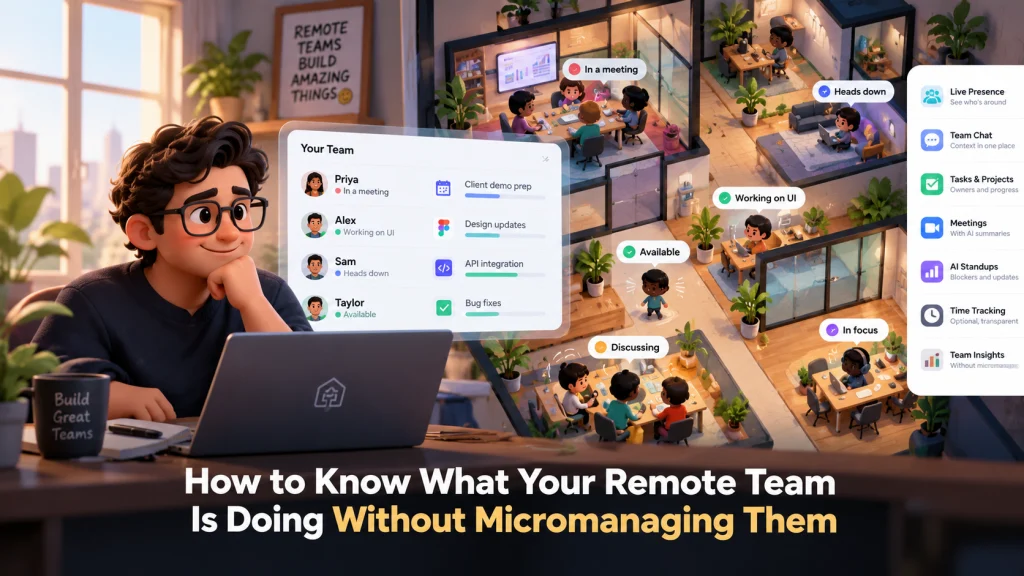
This is the problem we’re building VirtualStation around: the answers to “how’s it going?” should be visible in the place where the team already works, not rebuilt from six tools every afternoon.
In practice, that means a shared virtual office where you can see who is around, in a meeting or heads down, with tasks, chat and meetings in the same workspace. AI standups collect the daily check-in and surface blockers. Meeting summaries suggest action items, owners and due dates. Overdue tasks are visible per person, which helps with the Friday review.
We also have attendance and time tracking, and while someone has started tracking their time, it can take screenshots and record which apps and URLs they use. Tracking never starts on its own. We think teams should reach for that layer deliberately, with everyone knowing the rules, and only after the work itself is visible.
Stop finding out on Monday
The goal was never to know what every person is doing every minute. It’s to stop discovering the important problems too late.
If that’s the problem you’re working on, you can try VirtualStation free and see whether it fits the way your team works.
Sources
- Microsoft, Hybrid Work Is Just Work. Are We Doing It Wrong?, September 2022
- American Psychological Association, Electronically monitoring your employees? It’s impacting their mental health, September 2023
From the VirtualStation team
See who's around, what's moving and what's stuck
VirtualStation puts your team's presence, meetings, chat, tasks and AI standups in one workspace, so the answer to "how's it going?" is already on screen.
No credit card required