Saurabh Rai
Best Hubstaff Alternatives, Sorted by How Much Monitoring You Actually Want
Seven Hubstaff alternatives grouped by how much monitoring they do, from no screenshots at all to tracking inside a full workspace.
On this page
- What Hubstaff actually does
- More tracking, less trust
- Hubstaff alternatives, by how much you want to see
- Toggl Track: best for teams that want a firm no-surveillance line
- Harvest: best for agencies and consultancies that bill clients
- Timely: best for teams that hate filling in timesheets
- RescueTime: best for helping people protect their own focus
- Clockify: best for small teams that want to start free
- Everhour: best for teams that live in their project tool
- VirtualStation: best for teams that want tracking inside the place work happens
- How to choose: start with the question, not the feature list
- Seeing more is not the same as knowing more
- Sources
Take an invented example. An engineer spends Tuesday morning reading a messy spec, sketching on paper and talking a colleague out of a bad database decision. Very little of that touches the keyboard, so the activity score comes out low. Someone answering chat messages all morning scores high.
If you have ever stared at a number like that and thought “this can’t be the thing I’m managing by”, this article is for you. It covers what Hubstaff does, why some teams move away from it, and which alternatives fit depending on how much monitoring you actually want.
What Hubstaff actually does
Hubstaff is a time tracker with monitoring built in. According to Hubstaff’s employee monitoring page, it can add screenshots to tracked time, show which apps and websites people use during work hours, and record keyboard and mouse activity levels. For field teams it offers GPS job sites that clock people in and out.
To be fair to Hubstaff, it is more configurable than its reputation suggests. Managers can disable, blur or change the frequency of screenshots, and the company says it does not record keystrokes or read emails and messages.
The activity level is the part people argue about. Hubstaff’s help center explains that it counts the seconds with any keyboard or mouse input in each 10-minute block: “Active seconds / 600 = activity rate %”. Hubstaff itself adds a fair warning: “people with 75% scores and those with 25% scores can often times both be working productively.”
More tracking, less trust
We have no data on why teams leave Hubstaff. Our view is that the harder question is not features but how the data feels to the people being measured.
The American Psychological Association asked U.S. workers about this in its 2023 Work in America survey. Among workers who said their employer monitors them with technology, 56% said they feel tense or stressed out at work, compared with 40% of workers who were not monitored. The monitored group was also more likely to say their workplace hurts their mental health (45% versus 29%). That is a correlation, not proof that monitoring causes the stress, but it is hard to ignore.
There is a quieter problem too. If your question is “Is the work actually moving?”, screenshots and activity scores answer a different one: “Was someone at their keyboard?” You end up with a lot of data about effort and very little about progress. The launch still slips, and you still find out on Friday.
That doesn’t make monitoring wrong for every team. Agencies billing by the hour, contractors paid for tracked time and some compliance-heavy roles have real reasons for it. The point is to choose the level on purpose, not by default.
Hubstaff alternatives, by how much you want to see
Toggl Track: best for teams that want a firm no-surveillance line
Toggl Track is a straightforward time tracker with timers, timesheets, reports and invoicing. Toggl’s anti-surveillance statement is unusually direct: “We will never have features for screen recording, location tracking, keystroke tracking, or webcam monitoring.” If you want to tell your team that clearly and mean it, Toggl makes that easy.
Worth knowing: the free plan covers only a small number of users. And Toggl tells you where time went, not whether a project is blocked.
Harvest: best for agencies and consultancies that bill clients
Harvest pairs time tracking with invoicing, expenses and profitability reports. Harvest states plainly that it “does not include screenshot monitoring”. For a studio that needs accurate billable hours and nothing more, that is a clean fit.
Worth knowing: the free plan is built for individual freelancers (one seat, two projects), so a team will need a paid plan.
Timely: best for teams that hate filling in timesheets
Timely captures work automatically and keeps it on a private timeline. Only entries the person approves are shared. Its site rules out keystroke logging and screenshots and promises “no creepy surveillance.” That is a thoughtful middle ground: accurate time without end-of-week guesswork, and the employee stays in control.
Worth knowing: there is no free plan, only a 14-day trial. And automatic capture is still software watching activity, even if the person decides what gets shared. Explain that to your team up front.
RescueTime: best for helping people protect their own focus
RescueTime combines a personal focus tool with team reporting and timesheets. It says it does “not collect keystrokes, form input, screenshots, or webpage content”, and its team product gives leaders focus trends and activity categories “without exposing the details of an individual’s workday.”
Worth knowing: it answers “where does our attention go?” much better than “is this project on track?”
Clockify: best for small teams that want to start free
Clockify has a free plan for up to 5 users at the time of writing, with timesheets, reports and an auto tracker whose app and website data is “visible only to you”.
Worth knowing: Clockify is not a no-monitoring tool. Its paid plans add screenshots (blurred by default, turned on by an admin) and an activity monitoring agent for company devices. Decide your policy before someone flips a setting.
Everhour: best for teams that live in their project tool
Everhour puts a timer inside tools like Asana, ClickUp, Jira, Trello and Linear, with budgets and invoicing on top. People track time where they already work, which is half the battle.
Worth knowing: Everhour does offer screenshots. An admin turns the feature on and chooses which team members it applies to, and the desktop app only captures while a timer is running. It is optional, but it exists.
VirtualStation: best for teams that want tracking inside the place work happens
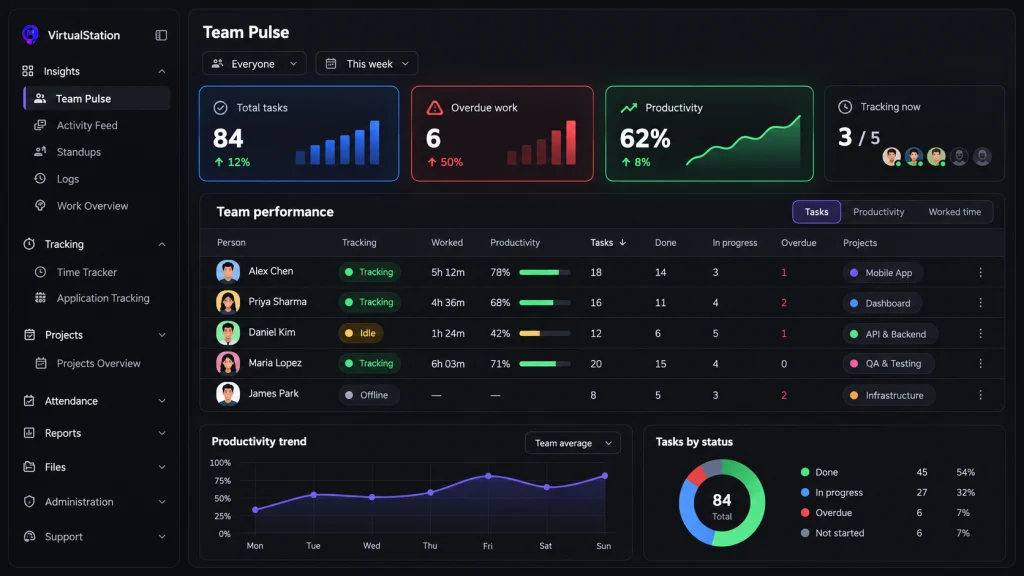
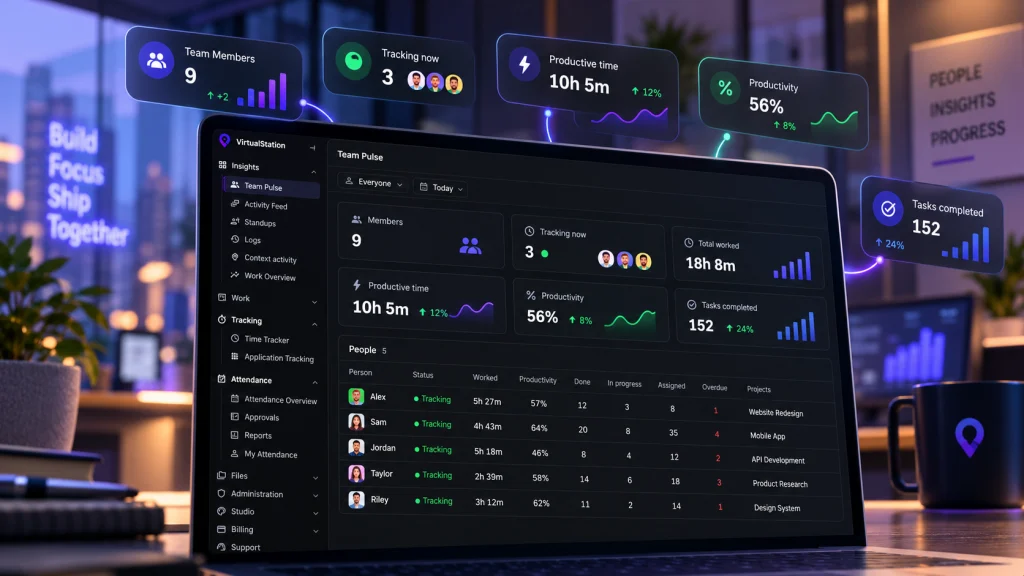
We should be clear: VirtualStation is not a no-monitoring tool. It has attendance and time tracking, and while a person is tracking time it can take screenshots, record application and URL usage and show productivity analytics. Time tracking is manual. The person starts it and stops it, and nothing is captured outside tracked time.
The difference from Hubstaff is what sits around that data. VirtualStation is a virtual office with presence, meetings, chat, tasks and AI standups in the same workspace. So when a number looks odd, the context is in the same workspace: who was in a meeting, which task moved, what blocker came up in the standup.
Worth knowing: it is a full workspace. If you only want a lightweight timer, Toggl, Harvest or Clockify will be simpler to adopt.
How to choose: start with the question, not the feature list
- Write down the question you need answered. “How many hours do we bill?” points to Harvest or Toggl. “Where does our focus go?” points to RescueTime or Timely. “Why do I keep finding problems late?” is usually not a time-tracking question at all.
- Decide your monitoring policy before you pick a tool. None, optional or on while tracking. Then choose a tool whose defaults match it.
- Tell the team exactly what is collected. A tool with screenshots and an honest policy often builds more trust than a “private” tool nobody explained.
- Check where the context lives. Hours without tasks, meetings and blockers next to them leave you guessing.
Seeing more is not the same as knowing more
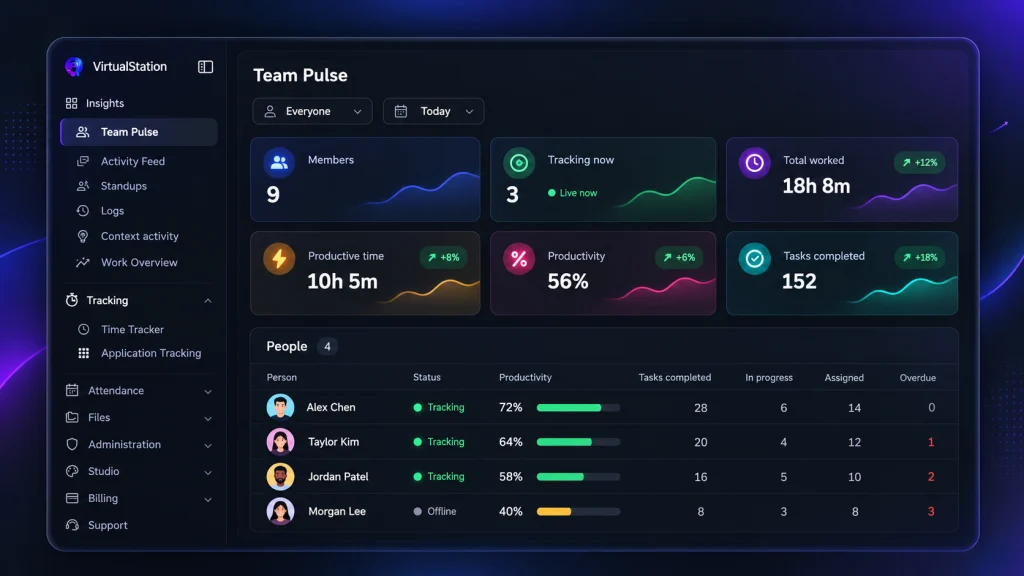
A screenshot shows you a screen. It can’t show you a decision, a blocker or a teammate who is quietly overloaded. Pick the least monitoring that answers your real question, and spend the rest of your effort making the work itself visible: clear owners, blockers written down where everyone can see them, short updates that someone actually reads.
If you want time tracking to sit next to meetings, tasks and team presence instead of in a separate dashboard, VirtualStation is built around that idea. You can try it free and judge the fit for yourself.
Sources
- American Psychological Association, Electronically monitoring your employees? It’s impacting their mental health, September 2023
- Hubstaff, Employee monitoring features
- Hubstaff Help Center, How activity levels are calculated
- Toggl, Toggl Track overview
- Toggl, Anti-surveillance statement
- Toggl, Toggl Track pricing
- Harvest, Product overview
- Harvest, Time tracking and screenshots
- Harvest, Pricing
- Timely, Product overview
- Timely, Pricing
- RescueTime, Product overview
- RescueTime Help Center, Team Focus overview
- Clockify, Pricing
- Clockify Help Center, Screenshots
- Everhour, Product overview
- Everhour Help Center, Screenshots
From the VirtualStation team
See who's around, what's moving and what's stuck
VirtualStation puts your team's presence, meetings, chat, tasks and AI standups in one workspace, so the answer to "how's it going?" is already on screen.
No credit card required