Saurabh Rai
Slack Alternatives for Remote Teams That Need More Than Chat
Small teams leave Slack for three different reasons, and each points to a different tool. Here is how to tell which is yours, and when to stay.
On this page
- Slack May Still Be the Right Answer
- Slack Alternatives for Small Teams With a Memory or Money Problem
- Pumble: the most history for the least money
- Zoho Cliq: an unusually cheap paid plan if you are already on Zoho
- Twist: for teams that want less chat, not cheaper chat
- Teams or Google Chat: if you already pay for the suite
- If the Complaint Is Context, a Cheaper Chat Will Not Help
- Where VirtualStation Fits, and Where It Does Not
- Sort Your Last Three Misses Before You Move Anyone
- Sources
If your team has been on Slack’s free plan for more than a year, your oldest decisions are already gone.
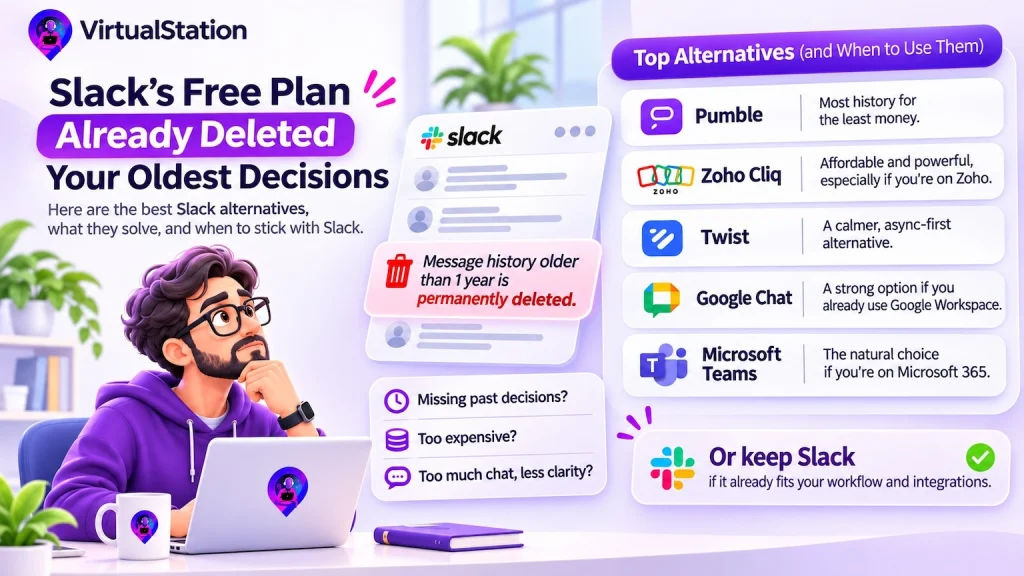
Slack says so itself. Slack’s plans page says the Free plan gives you 90 days of message and file history, and that anything older than a year is “permanently deleted.” A 12-person team can find this out the hard way: someone goes looking for why a client got that discount last spring, and the thread is no longer there.
That moment can send a small team shopping. So can the invoice. So can the feeling of reading 40 messages before coffee and still not knowing where a project stands. Those are three different problems, and the best Slack alternatives for small teams each solve only one of them. Buy the wrong one and you will have done a whole migration to end up with the same complaint.
We checked each vendor’s own pages in October 2026 and link to them, because prices and plans change and you should not take a competitor’s word for them.
Slack May Still Be the Right Answer
Start with the option nobody searches for. Slack’s features page now goes well past messages: huddles, canvases, Lists for managing projects, Workflow Builder and AI summaries of channels and threads. Several of those are paid features. Free has one-to-one huddles only, no Lists and no Workflow Builder.
In US dollars, Slack Pro is $8.75 a user monthly or $7.25 billed yearly, and Business+ is $18 or $15, as of October 2026. Slack’s pricing page shows local prices by country, so yours may differ. On US pricing, moving 12 people from Free to Pro costs about $105 a month and removes the 90-day limit. That is usually less than a migration costs in lost afternoons, although anything Free has already deleted stays deleted.
Slack is probably still your answer if:
- Your only complaint is the 90-day limit. Pay for Pro and stop reading.
- Clients and partners already talk to you in shared Slack channels, and moving would mean asking them to move too.
- Your deploy alerts, support tickets and bots all run through it, and rewiring them would take someone who should be shipping. Even Roam’s own comparison page, which wants your business, suggests keeping Slack where integrations are hard to replace.
- Your team likes it and your work is tracked well somewhere else. Being content with chat is rarer than it sounds.
Slack Alternatives for Small Teams With a Memory or Money Problem
These tools have the same basic shape as Slack, which is the point. You change the bill or the pace and keep the habit.
Pumble: the most history for the least money
Pumble’s pricing page lists a free plan with unlimited users and unlimited message history, and 10 GB of storage for the whole workspace. Calls on Free are one-to-one, and group calls start at Pro, at $2.99 a user monthly or $2.49 billed yearly. If your real complaint is the 90-day wall or the invoice, start here. The page does not list task or project management, as of October 2026. It points instead to Plaky, a separate product from the same company.
Zoho Cliq: an unusually cheap paid plan if you are already on Zoho
Zoho Cliq covers channels, calls, meetings with a whiteboard, recorded voice and video messages, and AI chat summaries. Its pricing page lists Standard at a flat $18 a month for up to 25 users, or $16.20 billed yearly. The free plan caps searchable messages at 10,000, limits meetings to 60 minutes and leaves out task management.
Twist: for teams that want less chat, not cheaper chat
Twist takes the opposite view from everyone else here. Conversations live in threads, there are no notification dots and no “I’m available” bubbles, and its motto is “Work async, not ASAP.” For a team spread across time zones that writes things down well, that can be a relief. Its free plan shows only one month of history, so plan on the $6 Unlimited plan. And if you want to see who is around right now, Twist is designed not to tell you.
Teams or Google Chat: if you already pay for the suite
Sometimes the alternative is already on your invoice. Google Chat is included with Workspace at no additional cost and sits in Gmail’s left navigation. It has spaces, huddles, tasks you can assign from the chat, and Gemini to catch you up on a conversation, though Google notes that some features are limited to Business and Enterprise plans.
Microsoft Teams earns its place through what it is attached to. Microsoft’s documentation says creating a team also creates a SharePoint site, a shared mailbox and calendar and a OneNote notebook, and ties into Planner. If you do not already live in Microsoft 365, much of that pull goes away, so check what the plan you are buying includes. Teams Essentials, the standalone small-business plan, is listed at $4 a user.
We left out two common names on purpose. Mattermost now describes itself as built for national security, critical infrastructure and regulated enterprises, and Rocket.Chat’s free Starter is self-managed. Unless you have a compliance reason to host your own chat, a 12-person team takes on server work for little daily gain. If you do have that reason, they belong at the top of your list.
If the Complaint Is Context, a Cheaper Chat Will Not Help
Here is the third complaint. Microsoft, which sells Teams, measured chat volume from its own side in a June 2025 report based on anonymized Microsoft 365 data: people were interrupted about every two minutes during core hours, and the average worker received 153 Teams messages per weekday. That is Microsoft’s customer base and not your team of 12, but the shape is familiar.
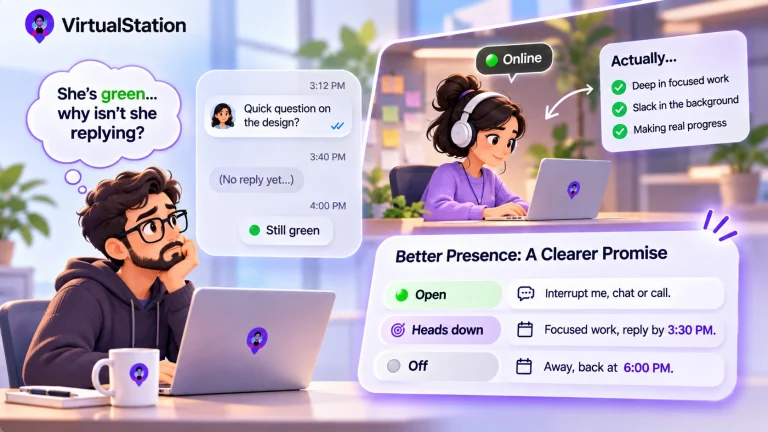
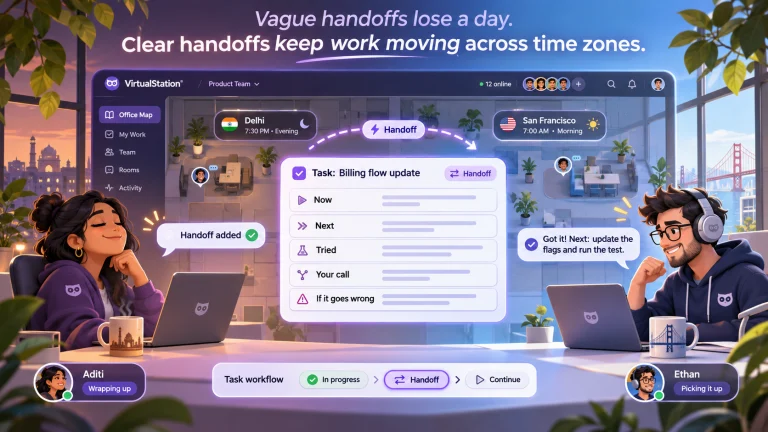
None of that volume tells you whether work is moving. Chat is a record of what people chose to say. Status lives in the gaps: the task nobody mentioned, the person who went quiet, the decision that stayed in a meeting. On a small team you cannot hire someone to watch those gaps, so a calmer feed just gives you a calmer way of not knowing.
This is where the tools stop looking like Slack, and where you should expect a bigger move.
- Gather lists a virtual office, channels and DMs, meetings, and AI notes, with a 30-day trial. Its pricing page does not list tasks or projects, as of October 2026, so you would keep a separate tool for those.
- Roam bundles a virtual office, messaging, meetings, AI summaries and an office-aware AI assistant into one plan at a listed $19.50 per active member monthly in US dollars. Prices vary by country.
- Kumospace offers spatial audio, chat and whiteboards, with a free plan for up to 5 members.
Where VirtualStation Fits, and Where It Does Not
VirtualStation is our attempt at the third complaint. Team chat with channels, threads and search sits in the same workspace as a spatial office, meetings, screen share, tasks and projects. AI meeting summaries produce action items, AI standups collect updates, and Company Context lets you “ask anything about your projects, people or meetings,” drawing on VirtualStation’s own projects, tasks, tracking, standups and meetings, plus apps you connect such as docs and Gmail. Its answers are only as good as what the team keeps there.
The costs are real. This is a much bigger switch than changing chat apps, and if chat is your only problem it is the wrong one. Pro is $15 a user monthly or $12 billed yearly, about five times Pumble Pro. Our own Free plan covers up to 5 people and keeps 90 days of chat, the same window we opened this article complaining about. Time tracking, attendance, AI standups and Company Context start at Pro.
Time tracking never starts by itself. Only while someone is tracking, it records app and URL activity, feeds productivity analytics and can take screenshots, which admins configure and which are captured at randomized times. Some teams will not want that near their chat, and that is a fair reason to look elsewhere.
| Product | Best for | Watch for | Price |
|---|---|---|---|
| Slack Pro | Teams with integrations and clients already there | Lists and Workflow Builder are paid; chat stays the center of gravity | $8.75 per user monthly, $7.25 billed yearly; about $105 a month for 12 |
| Pumble | Keeping full history for little money | Group calls start at Pro; no task tool listed | $0 Free; Pro $2.99 monthly, about $36 a month for 12 |
| Zoho Cliq | Teams already on Zoho | Free plan: 10,000 searchable messages, 60-minute meetings | $18 flat monthly, up to 25 users, on Standard |
| Twist | Async teams across time zones | Shows no live availability; Free shows one month of history | $6 per user on Unlimited; about $72 a month for 12 |
| Google Chat | Teams living in Gmail and Docs | Some features depend on your Workspace plan | Included with Workspace; price varies by country |
| Microsoft Teams | Companies already on Microsoft 365 | Less pull without the rest of the suite | $4 per user on Essentials; about $48 a month for 12 |
| Gather | Missing the hallway, with chat included | Tasks and projects not listed on its pricing page, as of October 2026 | $15 per member monthly, $12 billed yearly; 30-day trial |
| Roam | Replacing several communication tools at once | Asks you to move your whole day; tasks not listed on its pricing page, as of October 2026 | $19.50 per active member monthly, US price |
| VirtualStation Our product | Office, chat, meetings and tasks in one place | Biggest switch here; Free is limited to 5 people and 90 days of chat | $15 Pro, per user monthly, or $12 billed yearly; about $180 a month for 12 |
Related reading: all in one workspace or best-of-breed tools and why remote teams need more than a messaging app.
Sort Your Last Three Misses Before You Move Anyone
A small team cannot afford to pick by feature grid, because you will only migrate once. Spend 20 minutes on this tomorrow:
- Write down the last three times something slipped because someone did not know something. Real ones, with names.
- Mark each one. “Lost” means it was said in chat and could not be found. “Buried” means it was said and nobody saw it. “Absent” means it was never in chat at all: it lived in a meeting, a head or another tool.
- Read the marks. Lost points to Slack Pro or Pumble. Buried points to Twist, or to fewer channels. Absent means no chat app will save you, and you need a task tool people use, whether that is Slack Lists, a separate board or an all-in-one.
- Pilot with one project group for two weeks. Do not move the company. Before you cancel anything, find out what your current plan lets you export.
If you land on Absent and want to see how the pieces can sit together, our comparison page sets VirtualStation against a separate tool stack, and we wrote about the cost of that stack in a piece on SaaS sprawl. A separate stack may well be the better answer for you.
Switch chat apps if chat is what failed. Otherwise you are only moving the scroll to a new address.
Sources
- Slack, Plans and features
- Slack, Pricing
- Slack, Features
- Slack, June 2025 pricing and packaging announcement
- Microsoft WorkLab, Breaking down the infinite workday, June 2025
- Microsoft Learn, Introduction to Microsoft Teams for admins, August 2026
- Microsoft, Update to Microsoft 365 and Teams licensing
- Google Workspace, Google Chat
- Pumble, Pricing
- Zoho, Zoho Cliq overview
- Zoho, Zoho Cliq pricing
- Twist, Product overview
- Twist, Pricing
- Mattermost, Product overview
- Rocket.Chat, Plans
- Gather, Pricing
- Roam, Pricing
- Roam, Roam vs Slack
- Kumospace, Product overview
- Kumospace, Pricing
- VirtualStation, Pricing
From the VirtualStation team
See who's around, what's moving and what's stuck
VirtualStation puts your team's presence, meetings, chat, tasks and AI standups in one workspace, so the answer to "how's it going?" is already on screen.
No credit card required