Saurabh Rai
Why Your AI Meeting Notes Still Don’t Save You Time
AI can summarize every meeting now. The time still disappears afterward, in unowned action items and manual follow-up. Here's how to close the loop.
On this page
- We Solved the Wrong Half of the Meeting Problem
- A Summary Is a Record. Follow-Through Is a Commitment.
- Unowned Work Doesn’t Disappear. It Finds the Most Responsible Person.
- The Next Step for AI Is Doing, Not Writing
- What to Do Tomorrow Morning
- Spend the last three minutes on owners, not on wrap-up
- Put the items where the work already lives
- Decide who checks, and when
- Give ad hoc calls a two-line rule
- Watch the follow-up meeting count
- Where We Think This Goes
- The Real Measure of a Meeting
- Sources
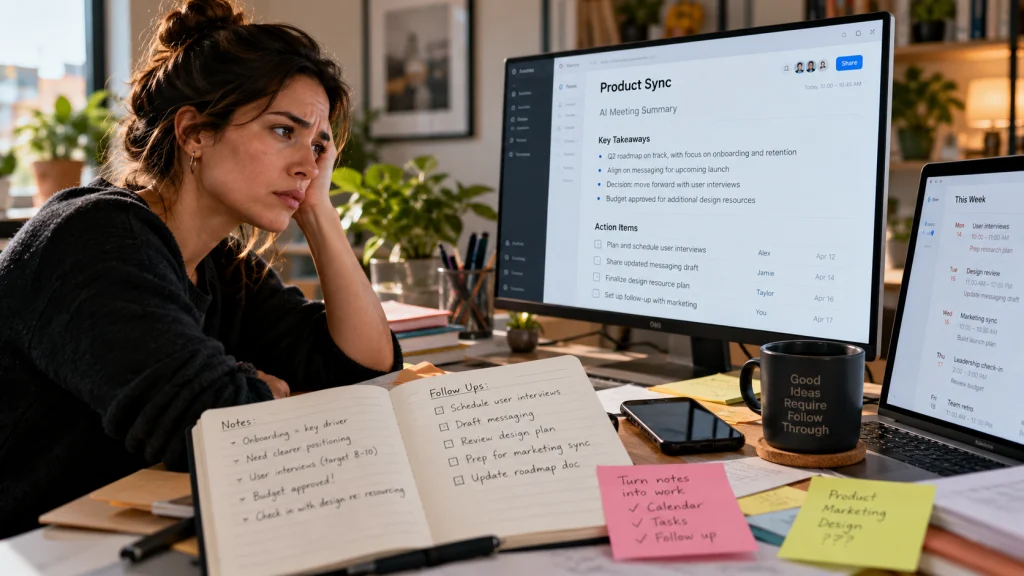
It’s Friday morning. The AI note taker from Monday’s planning call did its job perfectly: a clean summary, the key decisions, and nine action items in a tidy list. It landed in everyone’s inbox four minutes after the call ended.
Four days later, you open it again because a customer is asking why the help center still describes the old plans. Item four says “Update help center articles.” There is no name next to it. The designer thought marketing had it. Marketing thought it was waiting on the designer. Nobody is wrong, exactly. The summary just never said whose job it was.
So you do what you always do. You scroll back through the notes, message two people, and quietly become the project manager for a task you never agreed to own.
The meeting was recorded perfectly. The work still fell through the cracks.
We Solved the Wrong Half of the Meeting Problem
A few years ago, meeting notes really were the pain. In 2023, Microsoft, which sells AI tools for work, published its Work Trend Index: Will AI Fix Work?, based on a survey of 31,000 workers in 31 markets plus Microsoft 365 usage data. The usage data showed the average employee spending 57% of their time in Microsoft 365 communicating, in meetings, email and chat, and 43% creating. In the survey, 56% said it’s hard to summarize what happens in a meeting, and 55% said next steps at the end are unclear. And 80% said they wanted AI to help summarize their meetings and action items.
We got the first part. Summaries are now close to free. Almost every video tool offers one, and plenty of teams run a bot in every call.
The second part didn’t move much. Atlassian, which makes collaboration software, surveyed 5,000 knowledge workers across four continents for its March 2024 report Workplace Woes: Meetings. More than half (54%) said they frequently leave meetings without a clear idea of next steps or who owns which task. And 77% said they are often in meetings that end with a decision to schedule another meeting.
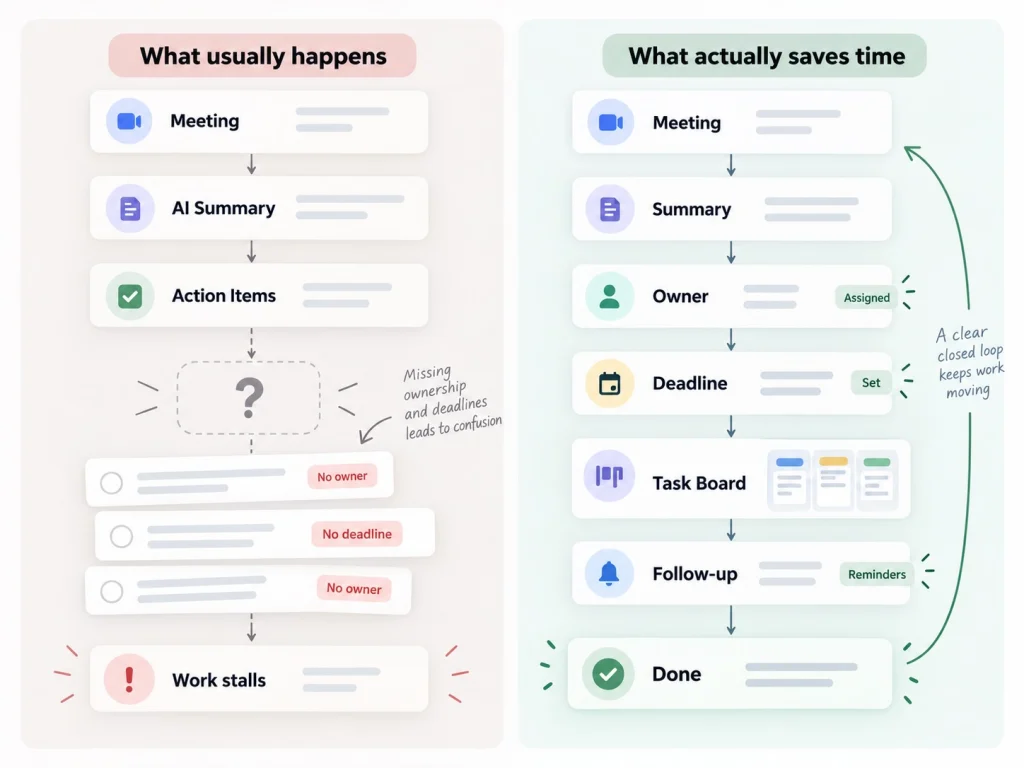
That gap is the whole story. A summary answers “what was said?” Work needs different answers: who is doing this, by when, and who will notice if it doesn’t happen?
A Summary Is a Record. Follow-Through Is a Commitment.
Here is the part most AI note tools quietly skip. An action item only works when a person has actually said “yes, that’s mine.” A model can hear “someone should look at the pricing page” and turn it into a bullet. It cannot turn it into a promise.
So the list looks complete, and the commitments behind it are mostly imaginary.
It gets worse as the tools get better. A human note taker writes down four action items because they are tired and only capture what clearly mattered. An AI writes down eleven, because it catches every “we should probably” in the room. More items feels like more rigor. In practice, the more items a meeting produces without owners, the less likely any single one gets done. Everyone assumes the long list is somebody else’s to sort.
Unowned Work Doesn’t Disappear. It Finds the Most Responsible Person.
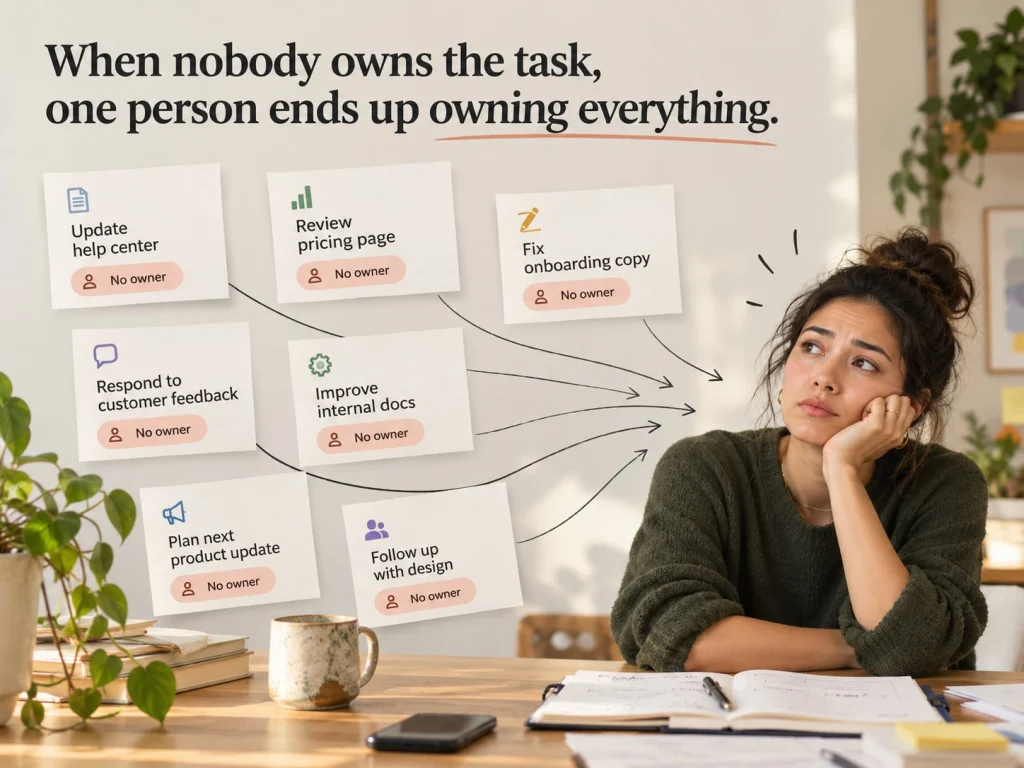
This is the hidden cost nobody puts in the meeting stats. When an action item has no owner, it doesn’t vanish. It falls on whoever cares the most. Usually that’s the founder, the team lead, or the one person who always sends the “just checking in on this” message.
That person spends their week doing coordination that should never have been manual: reading summaries, copying items into the task board, pinging people for status, and scheduling the follow-up meeting to find out what happened after the last one.
And there is not much room left in the day for it. Microsoft’s June 2025 report Breaking down the infinite workday drew on anonymized Microsoft 365 usage data and a 2025 survey of 31,000 knowledge workers in 31 markets. The usage data showed people being interrupted by a meeting, email or notification every 2 minutes on average, and 57% of meetings being ad hoc calls with no calendar invite. In the survey, 48% of employees and 52% of leaders said their work feels chaotic and fragmented.
Ad hoc calls are exactly the meetings where follow-up dies. No agenda, no invite, often no note taker at all, and a decision that lives only in the memory of the people who were there.
The Next Step for AI Is Doing, Not Writing
Where this is heading is fairly clear, at least in the view of the companies building the tools. In its April 2025 Work Trend Index annual report, Microsoft laid out three phases of AI at work. First, AI acts as an assistant. Next, agents join teams as “digital colleagues” that take on specific tasks at human direction. Finally, in Microsoft’s words, people “set direction for agents that run entire business processes and workflows.”
Meeting notes are firmly phase one. They make the record better. They don’t move the work.
The useful question for any team is not “which note taker is best?” It’s “what happens in the ten minutes after the call ends, and how much of that still depends on one person remembering?”
What to Do Tomorrow Morning
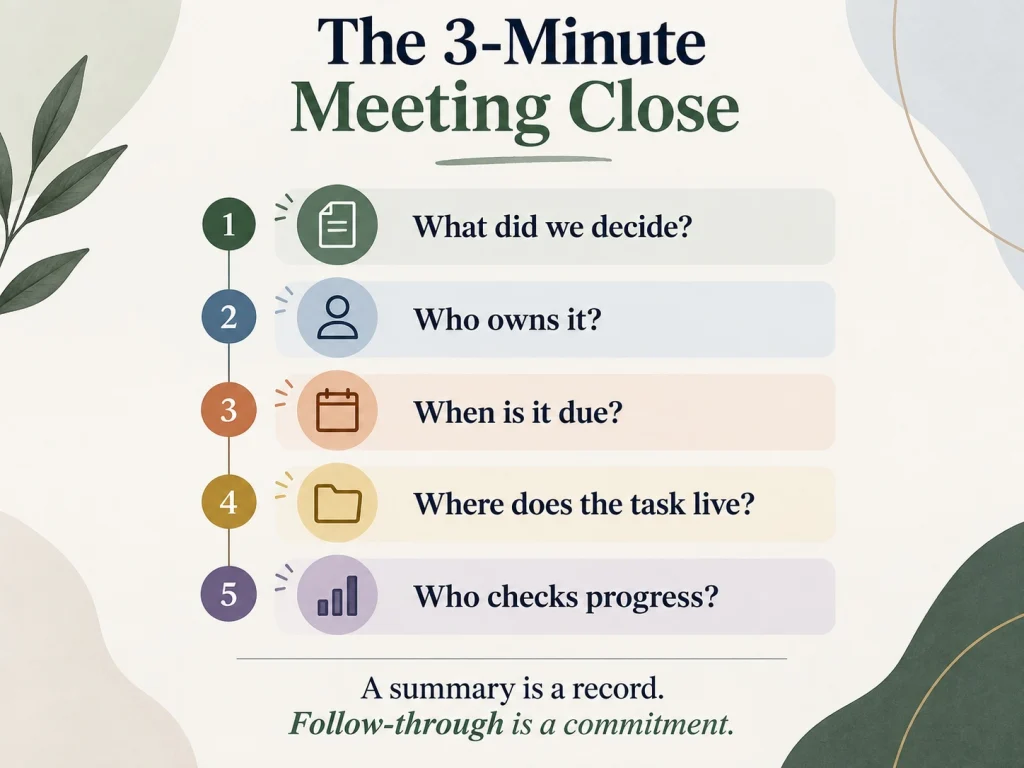
You don’t need a new tool to fix most of this. You need a few small habits that close the loop between the summary and the work.
Spend the last three minutes on owners, not on wrap-up
Stop the meeting three minutes early. Read the action items out loud. Every item gets a name and a date, spoken by the person taking it. If nobody says “mine,” the item is deleted, not parked. A shorter list that people actually agreed to is worth more than a complete one.
Put the items where the work already lives
If your team plans work on a board, the action items go on the board before people leave the call, with the same owner and date. A summary sitting in an inbox is an archive. A task with an owner is a commitment the whole team can see.
Decide who checks, and when
Pick one person to look at meeting items 48 hours later. Not to nag, just to see which ones moved. If this is always the founder, it’s worth asking why.
Give ad hoc calls a two-line rule
For quick calls without an invite, whoever started the call posts two lines in the team channel afterward: what was decided and who is doing what. It takes thirty seconds and saves the “wait, what did we agree?” conversation on Friday.
Watch the follow-up meeting count
If meetings keep ending with “let’s regroup next week,” that’s a signal. It usually means decisions aren’t being made or owned in the room. Your note taker won’t flag that for you. Your calendar will.
Where We Think This Goes
This is the problem we keep coming back to while building VirtualStation. Meeting notes that live in one app, tasks in another and chat in a third mean somebody has to carry information between them by hand. So in VirtualStation the meeting, the chat and the task board sit in the same workspace. The AI meeting assistant produces the transcript, the summary and the action items, and action items can become tasks with an owner on the board the team already uses. AI standups then collect updates and surface blockers, so a manager can see whether Monday’s decisions are moving without calling another meeting to ask.
It doesn’t replace the three minutes at the end of the call. People still have to say “that’s mine.” It just means that once they do, the promise doesn’t have to be copied anywhere to stay alive.
The Real Measure of a Meeting
It’s tempting to judge AI meeting tools by how good the summary is. That’s the wrong test. The right one is simpler: a week later, did the things you agreed on actually happen, and did anyone have to chase them?
A perfect summary of a meeting where nobody owned anything is still a meeting where nobody owned anything.
If that Friday morning scroll through old notes sounds familiar, VirtualStation is being built around exactly this idea. You can try it free and see whether it closes the loop for your team.
Sources
- Microsoft, 2023 Work Trend Index, May 2023
- Atlassian, Workplace Woes: Meetings, March 2024
- Microsoft, Breaking down the infinite workday, June 2025
- Microsoft, 2025 Work Trend Index, April 2025
From the VirtualStation team
See who's around, what's moving and what's stuck
VirtualStation puts your team's presence, meetings, chat, tasks and AI standups in one workspace, so the answer to "how's it going?" is already on screen.
No credit card required