Saurabh Rai
Kumospace Alternatives for Teams That Want an Office, Not an Event Space
Kumospace is great for culture and events. If you want a daily office instead, here are the Kumospace alternatives worth a look, with November 2026 pricing, free options and a switching checklist.
On this page
- Kumospace alternatives at a glance
- What Kumospace actually does
- Why teams look for a Kumospace alternative
- What to look for in a Kumospace alternative
- The best Kumospace alternatives, by what you want the office to do
- Gather: best if you like the spatial feel but want a calmer workday
- SoWork: best for a budget office with AI summaries
- Roam: best for replacing chat, meetings and scheduling together
- Sococo: best for teams that want rooms, not a game
- oVice: best for larger companies that want an avatar office
- WorkAdventure: best for teams that need to self-host
- VirtualStation: best for teams that want the office to hold the work, too
- If events are the part you love, keep that part
- What a 12-person team would pay
- How to switch from Kumospace without losing people
- Frequently asked questions
- Is Kumospace free?
- Is there a free alternative to Kumospace?
- Kumospace vs Gather: which is better?
- Does Kumospace have AI meeting notes?
- What is the cheapest Kumospace alternative?
- Our take
- Sources
Take an invented example. A marketing agency sets up Kumospace for a company offsite. The space looks great, the games land, and someone rings the gong when a deal closes. Three months later the agency is still paying for it, but most days only four of the twelve people open it. The rest drifted back to Slack and Zoom because that is where the actual work lives.
If that sounds familiar, you are probably looking for Kumospace alternatives that work as a daily office rather than an occasional event space. This guide covers what Kumospace does well, where it may not fit, and which alternatives suit which team, with prices checked on each vendor’s own page. We make VirtualStation, which is one of the options below, so weigh this accordingly.
The short answer: the best Kumospace alternatives in 2026 are Gather if you want the same spatial feel with calmer daily presence, SoWork for a cheap avatar office with AI summaries, Roam if you want to replace chat and meetings too, Sococo for a plain floor plan, WorkAdventure if you must self-host, and VirtualStation if you want tasks and standups next to the office.
Kumospace alternatives at a glance
All prices are per user per month in USD, from vendor pages as of November 2026. “AI notes” means automatic meeting summaries or transcripts, not live captions.
| Tool | Best for | Paid plan from | Free plan | AI notes |
|---|---|---|---|---|
| Kumospace (for reference) | Culture, events, playful offices | $16, paid annually, 5-seat minimum | Up to 5 members | Not found (live captions only) |
| Gather | Same spatial feel, calmer workday | $12 yearly / $15 monthly | No, 30-day trial | Yes |
| SoWork | Budget avatar office | $5.40 (Premium $12 for AI) | Up to 10 members | Yes, on Premium |
| Roam | Replacing chat, meetings and scheduling | $19.50 per active member | No, 14-day trial | Yes |
| Sococo | Rooms, not a game | $13.49, annual, 10-seat minimum | No, 14-day trial | Not found |
| oVice | Larger companies wanting an avatar office | $16 yearly, from 20 users | No, free trial | Yes, usage-billed |
| WorkAdventure | Self-hosting and open source | From 8 EUR | Up to 10 users | Not checked |
| VirtualStation | Office plus tasks, standups and AI notes | $12 yearly / $15 monthly | Up to 5 people | Yes |
What Kumospace actually does
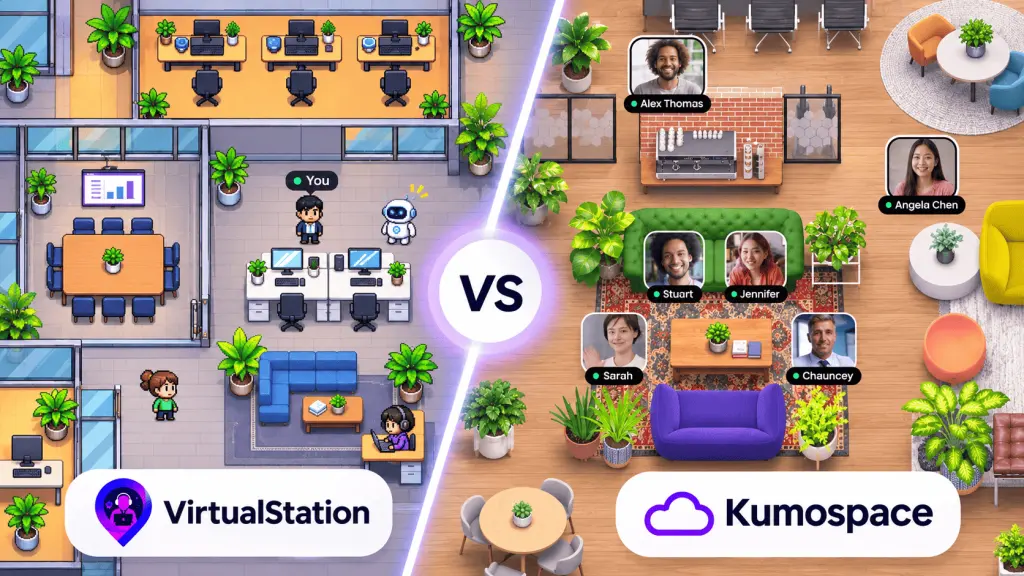
Kumospace is a spatial audio office: you move around a customizable space and hear people as you get close. It has team chat with channels, threads and DMs, multiple screen sharing, hand raising, an online whiteboard, people analytics, and culture features like watercooler spaces, games, gongs and birthday cakes. It also supports events and webinars. Integrations listed on the homepage include Google Calendar, Outlook, Slack, Microsoft Teams, Zoom, Miro and Google Drive, and there are apps for Mac, Windows, Linux, iOS and Android.
Its video conferencing page describes meeting recording and AI live captions with real-time translation. We could not find automatic meeting summaries or saved AI notes on its product or pricing pages.
Pricing, from Kumospace’s pricing page as of November 2026:
- Free: up to 5 registered members, one floor, basic chat, desktop and mobile apps. Up to 50 guests, who can use the space for up to 4 hours a week.
- Business: $16 per user per month, paid annually, with a minimum of 5 members and a 14-day trial. Adds chat channels and group DMs, unlimited chat history, recording, user analytics, multiple floors and access controls. The FAQ says monthly billing has no minimum commitment and annual billing gets a 20% discount, which puts monthly billing at roughly $20.
- Enterprise: custom pricing, with SSO, custom domain, an uptime SLA and HIPAA compliance listed in the FAQ.
To be fair, that free plan is one of the more generous ways to try a virtual office with a tiny team, and the culture features are genuinely fun.
Why teams look for a Kumospace alternative
We have no data on why teams leave Kumospace, so these are the gaps we would check, not survey results.
- AI meeting notes. Live captions help in the moment, but if you want a summary and action items after the call, Kumospace does not list one. Gather, SoWork, Roam and VirtualStation all do.
- The work lives elsewhere. Kumospace connects to your calendar and chat, but tasks, standups and project status stay in other tools. If the office is only for talking, people may stop opening it.
- Event DNA. Broadcasting, webinars and games are strengths, but a team that wants a quiet daily workspace may prefer something plainer, especially if clients join.
- Paying for empty seats. Kumospace bills per seat. If half your team rarely opens it, a per-active-member model like Roam’s, or a tool people open for other reasons, changes the math.
What to look for in a Kumospace alternative
Most comparison lists rank tools by how many features they have. A better test is whether people will still open the thing in month three. Check these before you trial anything:
- Presence that reflects real work. Can people show “focused” or “in a meeting”, ideally synced from their calendar, so walking over to someone is not an interruption?
- Meetings after the meeting. Recording, transcripts and AI summaries, and whether they sit on the plan you would actually buy.
- Where the work lives. Office only, office plus chat, or office plus tasks and standups. The more the office holds, the more reasons people have to open it.
- Pricing model. Per seat, per active member, or per space, plus seat minimums. A 10-seat or 20-seat minimum matters a lot to a 6-person team.
- Platforms and guests. Browser, desktop or both, and whether clients can join without a paid seat.
- Look and feel. Playful avatars, a floor plan, or no map at all. Picture a client walking in and decide what you want them to see.
- Security and hosting. SSO, data residency, or self-hosting if your security team requires it.
The best Kumospace alternatives, by what you want the office to do
Gather: best if you like the spatial feel but want a calmer workday
Gather is the closest in spirit: a customizable 2D world where you walk up to people. Gather 2.0 puts more weight on daily work, with free, focused and in-a-meeting presence, proximity audio that keeps you muted by default, and a Mini Mode that stays connected while you use other apps. The Essential plan includes meeting recordings and transcriptions, plus Google Calendar and GitHub integrations, and the homepage lists AI meeting notes.
Worth knowing: there is no free tier anymore. Gather’s help center lists $15 per user per month monthly or $12 annually, after a 30-day trial, and the pricing page still shows $12 on yearly billing as of November 2026. The 2.0 apps are Mac and Windows. Our Gather alternatives guide goes deeper.
SoWork: best for a budget office with AI summaries
SoWork has a customizable avatar office, presence that can flip to “In a meeting” from your calendar, chat, and meetings that are recorded, transcribed and summarized. The pricing page shows a free plan for up to 10 members with 30-minute meetings and no recording or AI, Basic at $5.40 and Premium at $12 per member per month. Premium is where unlimited AI summaries, transcripts and team analytics sit.
Worth knowing: the trial is seven days, and the pricing page shows conflicting figures in its feature table. Get the number confirmed in writing.
Roam: best for replacing chat, meetings and scheduling together
Roam bundles nine products: the office map, drop-in meetings, video rooms, an all-hands Theater, messaging, AI meeting summaries, a scheduler, an AI screen recorder and an AI assistant. Roam lists $19.50 per active member per month in USD, billed monthly, and you only pay for people who used it that month. Its pricing page says guests are free and offers a 14-day trial with no card.
Worth knowing: it costs more per head than Kumospace, and it works best when you are willing to move chat and scheduling into it too. See our Roam alternatives post if the bundle feels like too much.
Sococo: best for teams that want rooms, not a game
Sococo is the opposite of playful: a floor plan of named rooms, “Get” to pull someone in, “Knock” on a closed door. It runs in Chrome and works alongside Zoom, Webex, Google Meet or Microsoft Teams. Its standard plan is $13.49 per seat per month, annually prepaid, with a 10-seat minimum and a 14-day trial.
Worth knowing: the plan includes 500 meeting minutes per seat per month, pooled across seats, with extra minutes at $5 per 1,000. We did not find AI features on its site.
oVice: best for larger companies that want an avatar office
oVice is an avatar-based office where you “walk” up to someone and tap their shoulder to start a conversation. It also sells spaces for communities and one-off events. For a daily company office, its Business Starter plan is $16 per user per month billed yearly ($19.20 monthly), starting from 20 users, so $320 a month at minimum, as of November 2026. Its “My AI” and “Meeting Log” (transcription, AI summaries and minutes) are available on every plan, billed by usage.
Worth knowing: that 20-user floor makes it a poor fit for small teams. If you are a 50-person company with a mix of daily work and community events, it is worth a look.
WorkAdventure: best for teams that need to self-host
WorkAdventure is an open-source 2D office you can run on your own servers. The free plan covers up to 10 users, Business starts at 8 EUR per user per month, and there is a one-off event option from 4 EUR per user per day. If your security team has said no to every hosted tool, this is the one to bring them.
VirtualStation: best for teams that want the office to hold the work, too
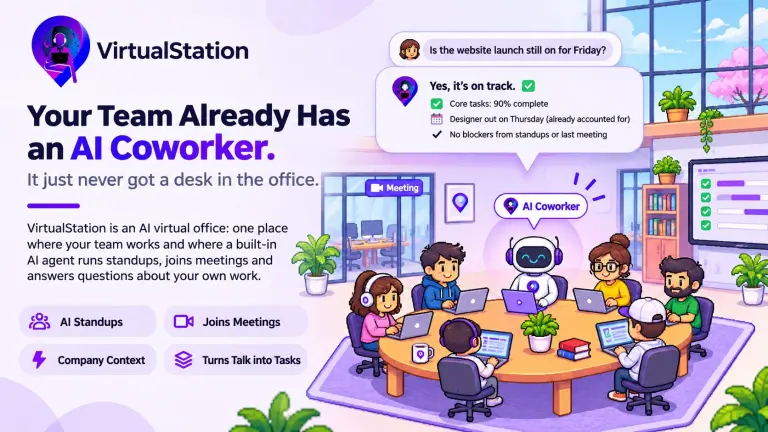
VirtualStation’s virtual office has the team presence you would expect, but the reason to pick it over Kumospace is what sits next to the map: chat, meetings with recording, transcription, live captions and AI notes, projects and tasks, AI Standups that turn written check-ins into a team summary with blockers, plus optional time tracking and attendance. When you see someone is busy, you can also see what they are busy with.
The free plan covers up to five people, like Kumospace’s. VirtualStation Pro is $15 per person per month, or $12 billed yearly, as of November 2026, with a 14-day trial and no card.
Who it is not for: if your main use is events, webinars and team games, Kumospace is better at that. And if you only want a shared hangout next to tools you already like, a full workspace is more change than you need.
If events are the part you love, keep that part
One option rarely appears in Kumospace alternatives lists: do not replace it entirely. Kumospace is good at events, all-hands with games, and client open days. If that is where your team gets real value, it can make sense to keep a small Kumospace setup for those moments and choose a quieter daily office for everyday work. Event-first tools like SpatialChat, which sells day passes and event packs, are another way to cover the big moments without a year-round seat for everyone.
The catch is cost and confusion. Two virtual spaces means two sets of logins, two places to look for people, and a real chance that nobody remembers which one to open on Monday. If you go this way, be explicit: one tool is “where we work”, the other is “where we party”. And check whether the daily office you choose already has a lounge or social room good enough for the casual stuff. Many do.
What a 12-person team would pay
A rough monthly comparison at list price, as of November 2026. Billing cycles differ, so treat these as a starting point.
| Tool | Plan | 12 people, per month | Note |
|---|---|---|---|
| Kumospace | Business | $192 annual / about $240 monthly | Monthly figure inferred from the 20% annual discount |
| Gather | Essential | $144 annual / $180 monthly | No free tier |
| SoWork | Premium | $144 | Free up to 10 with limits |
| Sococo | Sococo | $161.88 | Annually prepaid, 10-seat minimum |
| Roam | Super Bundle | $234 | Active members only, so often less |
| oVice | Business Starter | $320 | 20-user minimum |
| VirtualStation | Pro | $144 yearly / $180 monthly | Free up to 5 |
How to switch from Kumospace without losing people
- Look at who opens it today. If only a few people use your Kumospace, ask them why. The answer tells you whether you need a different office or a different habit.
- Decide what moves in. Office only, office plus meetings, or office plus meetings plus tasks. That narrows the list fast.
- Inventory what lives in the old space. Guest links you have shared with clients, floors or rooms people bookmark, recordings and chat history you need to keep. Export or save them before the subscription ends.
- Check AI notes against your policy. Recording and transcription need consent rules. Do not turn them on just because the new tool has them.
- Trial with the whole team for two weeks. A virtual office with three people in it tells you nothing. Our guide to setting up a virtual office covers how to run the trial.
- Pick a switch date and say it out loud. Migration pain in virtual offices is rarely technical. It is people turning up in the old space because nobody told them.
Frequently asked questions
Is Kumospace free?
Partly. As of November 2026, Kumospace’s free plan covers up to 5 registered members on one floor, with basic chat and up to 50 guests who can use the space up to 4 hours a week. Recording, chat channels, analytics and multiple floors need the Business plan, which is $16 per user per month paid annually, with a 5-member minimum.
Is there a free alternative to Kumospace?
Yes, with limits. SoWork’s free plan covers up to 10 members with 30-minute meetings and no recording or AI. WorkAdventure is free for up to 10 users and can be self-hosted. VirtualStation is free for up to 5 people with 45-minute meetings. Gather no longer has a free plan, only a 30-day trial.
Kumospace vs Gather: which is better?
It depends on the job. Kumospace leans into events and culture features, and keeps a free plan for 5 members. Gather 2.0 is built more for the daily workday, with focus and meeting presence, muted-by-default proximity audio and AI meeting notes, at $12 per user per month on yearly billing. For daily work, Gather is the closer fit.
Does Kumospace have AI meeting notes?
Not that we could find. Kumospace lists meeting recording and AI live captions with real-time translation, but its product and pricing pages did not mention automatic summaries, action items or saved AI notes as of November 2026. If you need those, Gather, SoWork Premium, Roam and VirtualStation include them.
What is the cheapest Kumospace alternative?
For a small team on paid features, SoWork Basic at $5.40 per member per month is the lowest list price we found, though AI summaries need Premium at $12. WorkAdventure starts at 8 EUR. For more options across the whole category, see our comparison of the best virtual office software.
Our take
Kumospace is a good room. The question is whether a room is what your team is missing. If people already talk fine and the real problem is that nobody knows what anyone is working on, a prettier space will not fix it. Pick the alternative that puts the conversation and the work in the same place, and keep the fun stuff for Friday.
If that sounds like your team, start a 14-day free trial of VirtualStation. No card needed.
Sources
- Kumospace, Product overview, accessed November 2026
- Kumospace, Pricing, accessed November 2026
- Kumospace, Online video conferencing software for teams, accessed November 2026
- Gather, Product overview
- Gather, Pricing, accessed November 2026
- Gather Help Center, Understanding Gather’s pricing changes (2025)
- SoWork, Product overview
- SoWork, Pricing, accessed November 2026
- Roam, Product overview
- Roam, Pricing, accessed November 2026
- Roam, 5 Best Virtual Office Platforms for Remote Teams in 2026
- Sococo, Product overview
- Sococo, Pricing, accessed November 2026
- oVice, Product overview, accessed November 2026
- oVice, Pricing, accessed November 2026
- WorkAdventure, Pricing, accessed November 2026
- SpatialChat, Pricing, accessed November 2026
- VirtualStation, Pricing, November 2026
From the VirtualStation team
See who's around, what's moving and what's stuck
VirtualStation puts your team's presence, meetings, chat, tasks and AI standups in one workspace, so the answer to "how's it going?" is already on screen.
No credit card required